
QR use case
Free Product Packaging QR Code Generator
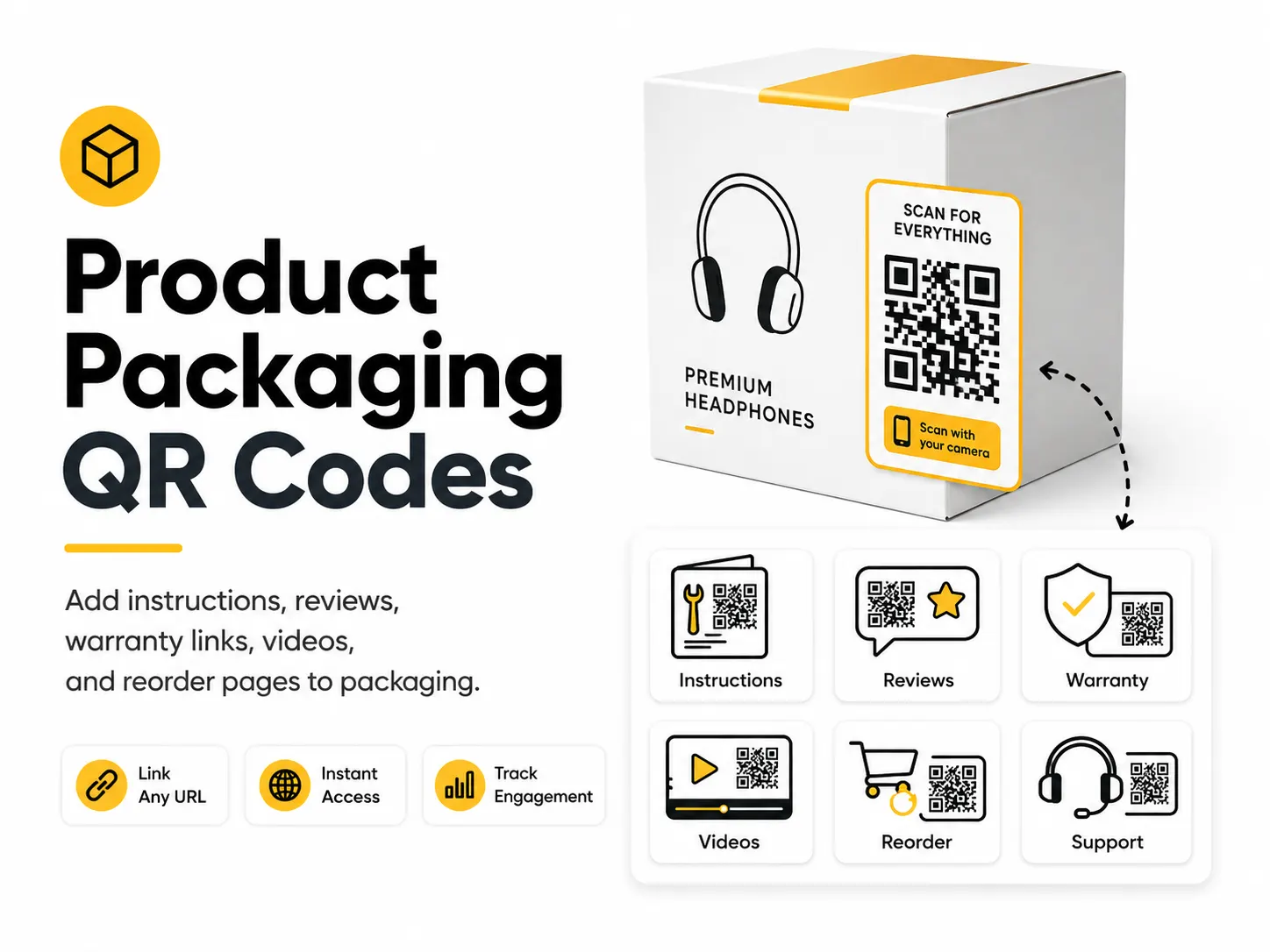
A product packaging QR code gives customers helpful information without overcrowding the label. It can connect packaging to instructions, safety details, registration, reviews, and repeat purchases.
Quick answer
Use the free QR code generator for product packaging qr codes
A customer holding a package needs instructions, ingredients, warranty, registration, safety details, reviews, or reorder options.
Use a product-specific page, setup video, manual, warranty form, ingredient page, or reorder page.
Topic path
Printing, size and contrast
Product Packaging QR Codes belongs to the printing, size and contrast path because the code is usually scanned from close handheld scanning: 20-50 cm, often on curved or glossy material. Use this cluster before ordering business cards, flyers, posters, stickers, packaging, menus, or signs. For this placement, read Best QR Code Size for Print and QR Code Design Best Practices, then check product packaging qr codes with QR Code Size Calculator or QR Code Contrast Checker.
Best QR content
Use a product-specific page, setup video, manual, warranty form, ingredient page, or reorder page.
Best placement
Use labels, boxes, inserts, hang tags, sleeves, bottles, and user manuals.
Expected scan distance
Close handheld scanning: 20-50 cm, often on curved or glossy material.
Recommended generator setting
Choose Website URL for product pages or PDF or Document URL for hosted manuals.
Open with Website URLPractical examples
Print, contrast, and material risks
- Curves distort modules.
- Gloss and varnish cause glare.
- Small labels leave too little quiet zone.
CTA text that fits this use case
- Scan for setup
- Register warranty
- See ingredients
- Watch how-to video
- Reorder here
- Read safety info
Destination page checklist
- Exact product match.
- Version/model details.
- Mobile instructions.
- Support contact.
- Updated safety or warranty information where relevant.
Before publishing
- Scan on final package shape.
- Test after coating or lamination.
- Check model-specific destination.
- Verify support links.
Static QR fit, privacy, and measurement
Static works for a stable product page you control. Avoid direct links to files that may be replaced by new versions.
Avoid putting serial numbers, customer identifiers, or private support tokens directly in public QR URLs.
Use UTM links by SKU, insert, label, or retail channel when privacy-safe and supported by your analytics.
Regulated product, ingredient, safety, and warranty claims should be reviewed by the product owner.
Print or screen specs
- Use contrast checker on final package colors.
- Leave quiet zone despite tight label layouts.
- Prefer SVG for packaging artwork.
Accessibility note
Do not rely on QR alone for required safety, ingredient, or compliance information.
How to create this QR code
- 1Open the free QR code generator and choose Website URL.
- 2Choose Website URL for product pages or PDF or Document URL for hosted manuals.
- 3Customize the foreground color, background color, size, margin, and error correction level if needed.
- 4Download the QR code as PNG or SVG.
- 5Scan the finished QR code on a phone before using it in print or sharing it publicly.
Best practices
- Use durable contrast on the actual material.
- Test scans on curved, glossy, or small packages.
- Keep the destination useful after the first purchase.
Common mistakes
- Printing near folds or seams.
- Using a destination that expires.
- Assuming a tiny code will scan on textured packaging.
Ready to make one?
When your destination is ready, open the generator, choose Website URL, and test the finished code before using it in public.
Frequently Asked Questions
What should a packaging QR code open?
Useful destinations include setup videos, manuals, warranty registration, ingredients, care instructions, reviews, and reorder pages.
Can a QR code be printed on curved packaging?
Yes, but test it on the final package because curvature and glare can reduce scanning reliability.
How do I create product packaging qr codes?
Open the free QR code generator, choose Website URL, enter a product page, manual, review page, warranty form, or how-to video link, customize the design if needed, then download the QR code as PNG or SVG.
What should a product packaging qr code link to?
Use the destination that matches the scan moment. Good options include link packaging to a setup video, add a warranty registration qr code, send customers to a reorder page.
Is this product packaging qr code maker free?
Yes. QR For Everyone is a free QR code maker for static QR codes, including product packaging qr codes, with PNG, SVG, WEBP, and JPG export options.
Can I use product packaging qr codes for business?
Yes. QR For Everyone can be used for personal, nonprofit, educational, and business projects. You are responsible for the content and links you encode.
Can I edit the QR code after printing?
This tool currently creates static QR codes. A static QR code cannot be edited after printing, so use a destination URL you control if the content may change later.